
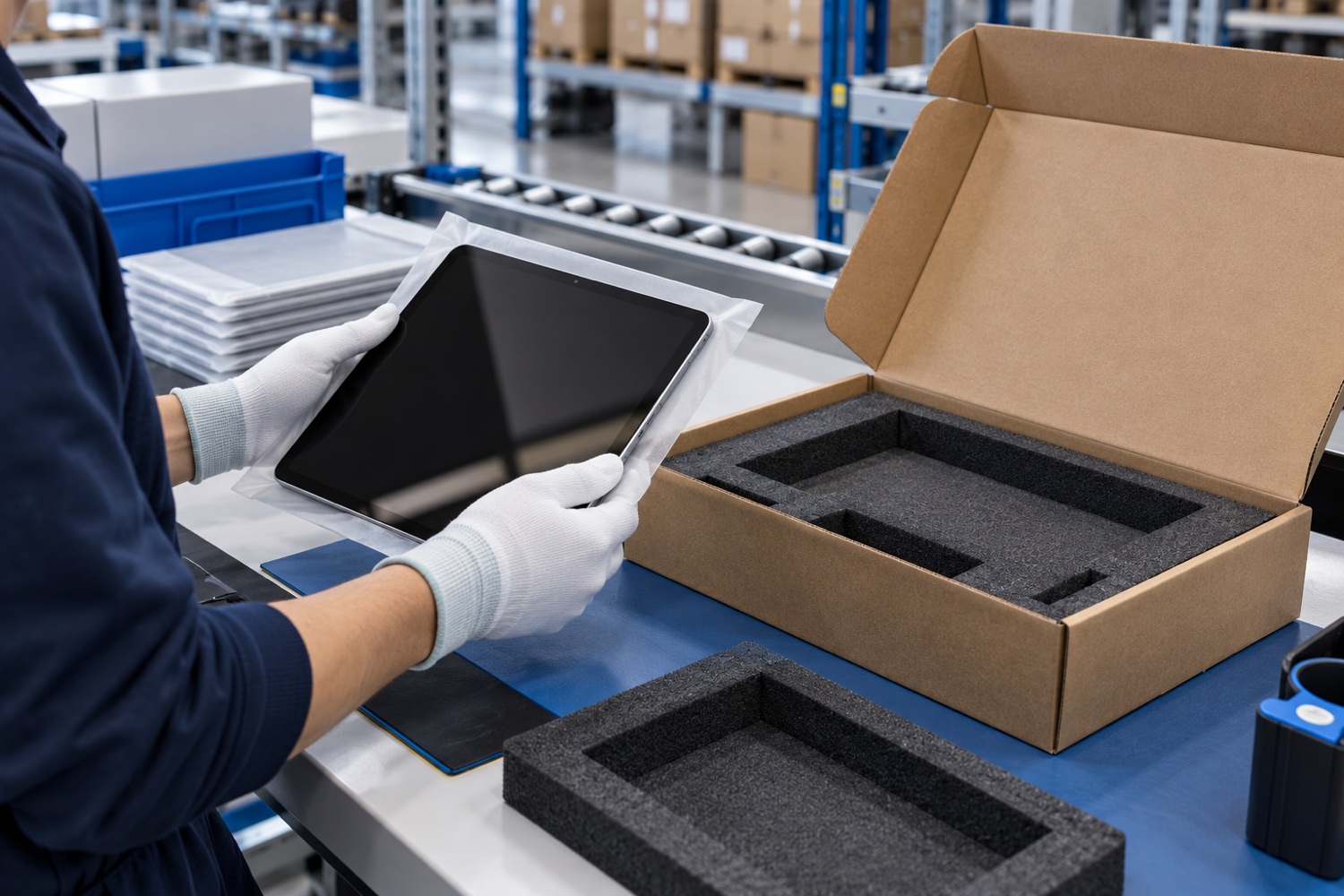
For tablets and touchscreen devices, the risk is not limited to a scratched screen. Movement inside the carton, impact at a corner, an adapter pressing against the display or a crushed outer box can all lead to returns and service work. Validate the pack around the device, accessory set and shipping route as one system.
Keep the device and accessories in separate positions
Secure the tablet in its manufacturer packaging or a suitable protective sleeve. Adapters, cables, styluses and stands should sit in separate compartments so they cannot strike the screen or housing in transit. If the original internal supports are intact and complete, assess whether they can be reused.
Before closing the carton, check on a sample that the device cannot shift and the supports do not create pressure. Adjust the internal dimensions and cushioning rather than forcing the lid closed over loose fill. For devices with batteries, separately check current carrier and regulatory requirements.
Plan the outer carton, tape and shipping label
Choose a sturdy outer carton that fits around the protective support without excessive voids. Seal the top and bottom closures with packaging tape and test adhesion on the actual board, application temperature and dwell time.
Place the shipping label on a flat, readable panel and keep existing barcodes visible. Orientation marks can help handlers, but they do not replace internal restraint. FedEx’s computer and tablet guide also recommends checking the original packaging components and preventing movement.
Validate the pack with a small shipment trial
Prepare a representative pack using the same device, accessories and carton. After handling, check for crushed corners, an opened closure, device movement and marks on the screen. If you change the packing method, compare the new and previous arrangements.
Before scaling up, photograph the packing steps and match the device model, carton code and accessory list. Do not treat damaged or opened packaging as a routine dispatch; follow your inspection procedure.
Sources and further reading
Accessed 30 October 2026. Follow current manufacturer, carrier and applicable regulatory instructions for the actual shipment.
Review packaging for your process
Share product dimensions, pack configuration and shipping route so suitable packaging options can be reviewed.
Frequently asked questions
Can a tablet move inside the carton?
It should not. Internal supports should restrain it without applying excessive pressure to the screen or housing.
Can an adapter travel in the same carton?
Yes, if it is held in a separate compartment and cannot strike the device.
Does outer carton tape protect the screen?
No. Tape closes the carton; it does not replace device cushioning or internal restraint.