
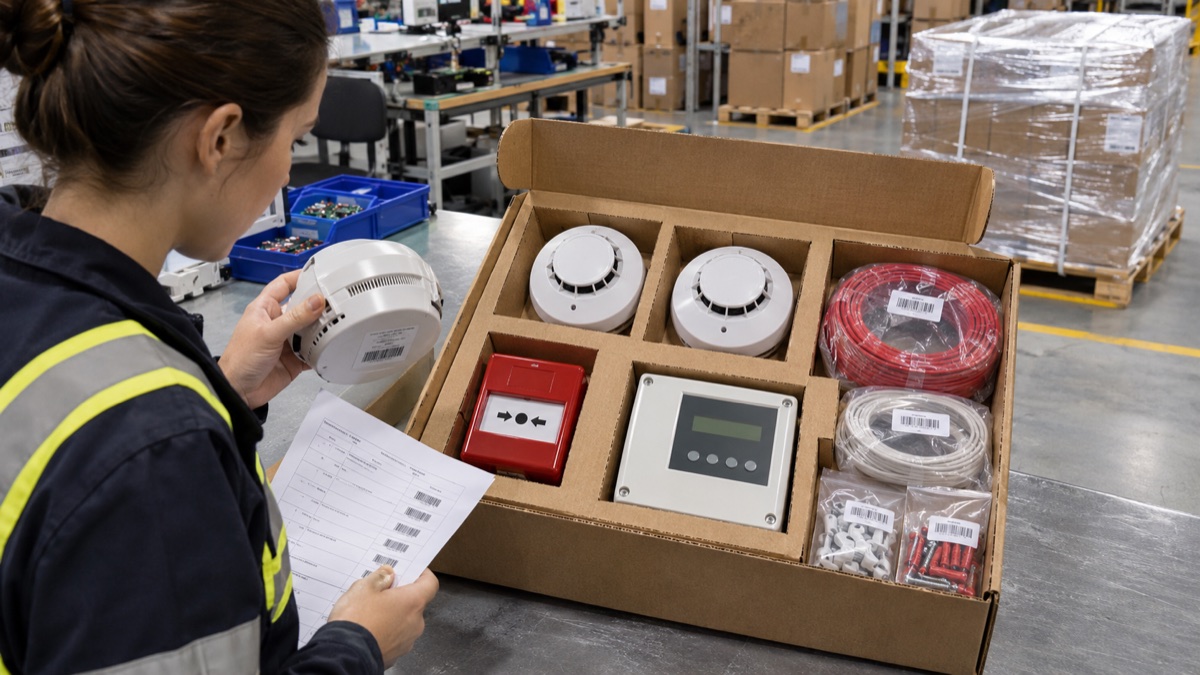
Fire-alarm orders may include a control panel, smoke or heat detectors, call points, mounting bases and instructions. Packaging does not certify the product or its fire-safety performance; its role is to protect, separate and correctly identify the order contents.
Confirm the variant and kit contents
Lock the panel model, detector type, mounting base, connection accessories and printed instructions to each order code. Keep detector variants in separate compartments in a shared outer case and match the device label to the carton label. Packing staff should not alter technical product codes; product approval and installation requirements must come from the manufacturer’s documentation.
Keep small screws, plugs and connectors in closed, countable inner packs. Place them so that a torn bag cannot release parts onto electronics or optical openings. Match templates and instructions to the correct product family and place them on top or in an easy-to-reach pocket.
Control sensitive surfaces and device movement
Pack control-panel displays, detector housings and any fragile lenses or diffusers so they cannot contact one another. Corrugated supports should hold the product without pressure on buttons, screens or housings. If the product uses its own ESD or protective pack, confirm it remains in place before loading the shipping case.
Use a fitted tray or measured divider instead of collecting every component in one void. Gently move the packed kit to check that components do not collide. A packaging trial does not test device function, regulatory compliance or fire-detection performance.
Carton closure and project-level labels
Select board strength for the shipment weight and the orientation of devices. Apply carton tape evenly to clean, dry flap seams; do not confuse an inner pouch or multipack closure with outer-carton tape. For pallet shipments, stack cases evenly and set stretch-wrap tension to avoid crushing the bottom layer.
When multiple orders are allocated to a project, floor or building, show the order reference, product group and quantity on each logistics unit. The GS1 logistics-label guide covers identification of units such as pallets and barcode placement; keep the barcode’s readable area clear of tape, film and other labels.
Reconcile before delivery and installation
At dispatch, compare the number of panels, detectors, bases, accessories and manuals with the kit list. Sorting cartons or sub-packs by room or project can reduce site unpacking time, provided the label does not cover the device’s own identity.
Evaluate the product-and-carton combination in a representative shipment. ISTA’s design and testing guidance is a starting point for selecting an appropriate test plan; acceptance criteria must come from the product owner and applicable project specification.
Sources and further reading
- ISTA — Getting started with design and testing
- GS1 — Logistic Label Guideline
- GS1 — Guidelines repository
Accessed 5 November 2026. Confirm current product specifications, carrier requirements and applicable local rules before shipment.
Plan packaging around your operation
Share product dimensions, case layout and dispatch conditions so the suitable Biz2miz packaging options can be reviewed.
Frequently asked questions
Can a carton label replace product certification?
No. Labels identify logistics contents; product approval and fire-safety documentation must be confirmed through the manufacturer and project authority.
Can detectors and mounting parts share one carton?
Yes, if the kit design permits it; keep components in separate pockets and reconcile counts against the order list.
Does stretch wrap alone protect palletized devices?
It helps unitize the pallet; internal restraint and outer-impact protection must be designed for each device carton.